
Using flatbeds
Beds, world UI, winch, cab controls, and keybinds.
Players walk up to a configured truck, open the world UI, lower the bed, and attach or winch a vehicle. Truck settings live in Config.Vehicles in shared/config.lua. Add your own models there. For new offsets, see Flatbed setup. If your truck is not supported out of the box, run /flatbedsetup or contact me and I will be happy to configure it for you.
Walkthrough: Using Various Flatbed Types.
Player flow
- Walk to the interact point on a configured truck. With
Config.AutoDisplayDUI, the world UI opens on its own. - Lower the bed (rolling) or drive into the load-zone chevron (static). You can also drive the vehicle onto the bed and attach it from the driver seat.
- Attach the vehicle from the UI or with E. Rolling beds can also grab the winch, hook a bone, and wind in. The vehicle can auto-attach when it is in place, or you can attach it yourself.
- Raise the bed and drive. Warp into the vehicle with F if you have keys and it is unlocked.
- Detach from the UI or press E again. If
Config.HookOnUnloadis true, the cable hooks the vehicle as it comes off.
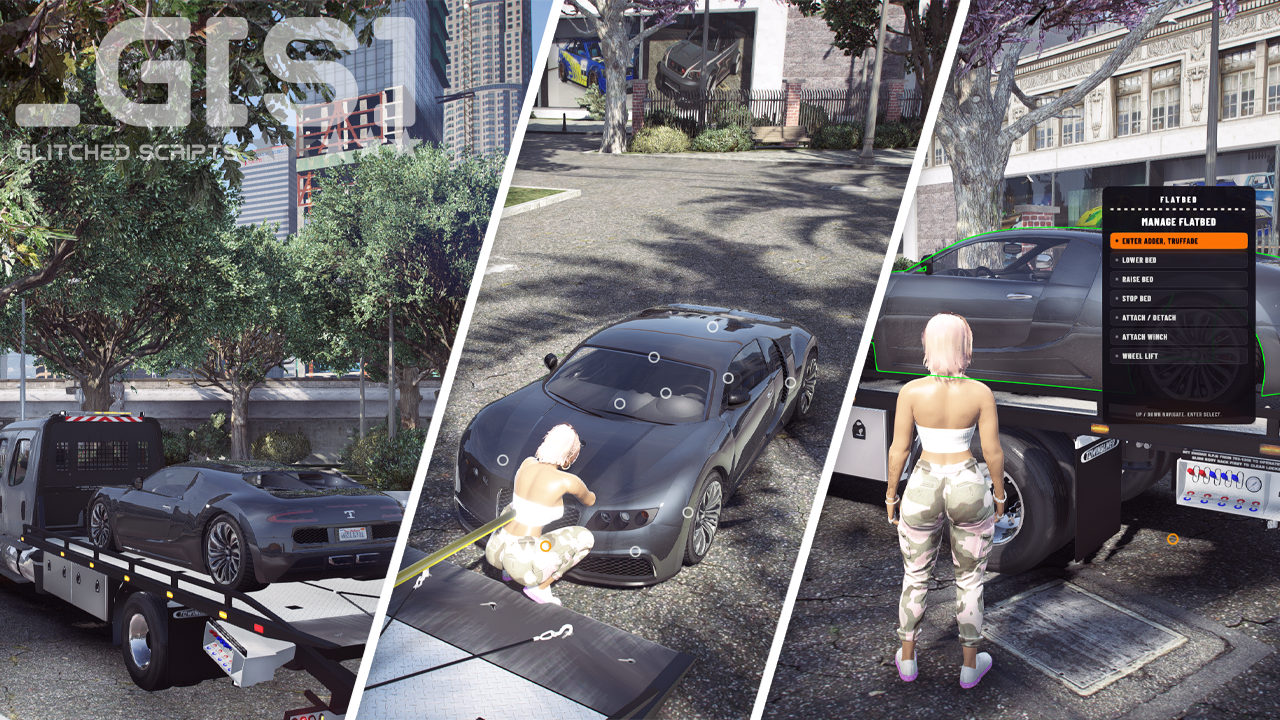
Bed types
| Type | What it does |
|---|---|
rolling | Moving ramp, winch, attach. Optional wheel lift or roof extra |
static | Fixed deck. Load-zone chevron at dropOffset. No winch |
trailer | Winch and attach on a towed bed. No ramp travel |
Rolling typically needs rampBone, cableBone, interact, cargoOffset, rampRaised, and rampLowered. Static needs dropOffset, interact, and cargoOffset. Trailer needs interact plus winch bones.
World UI
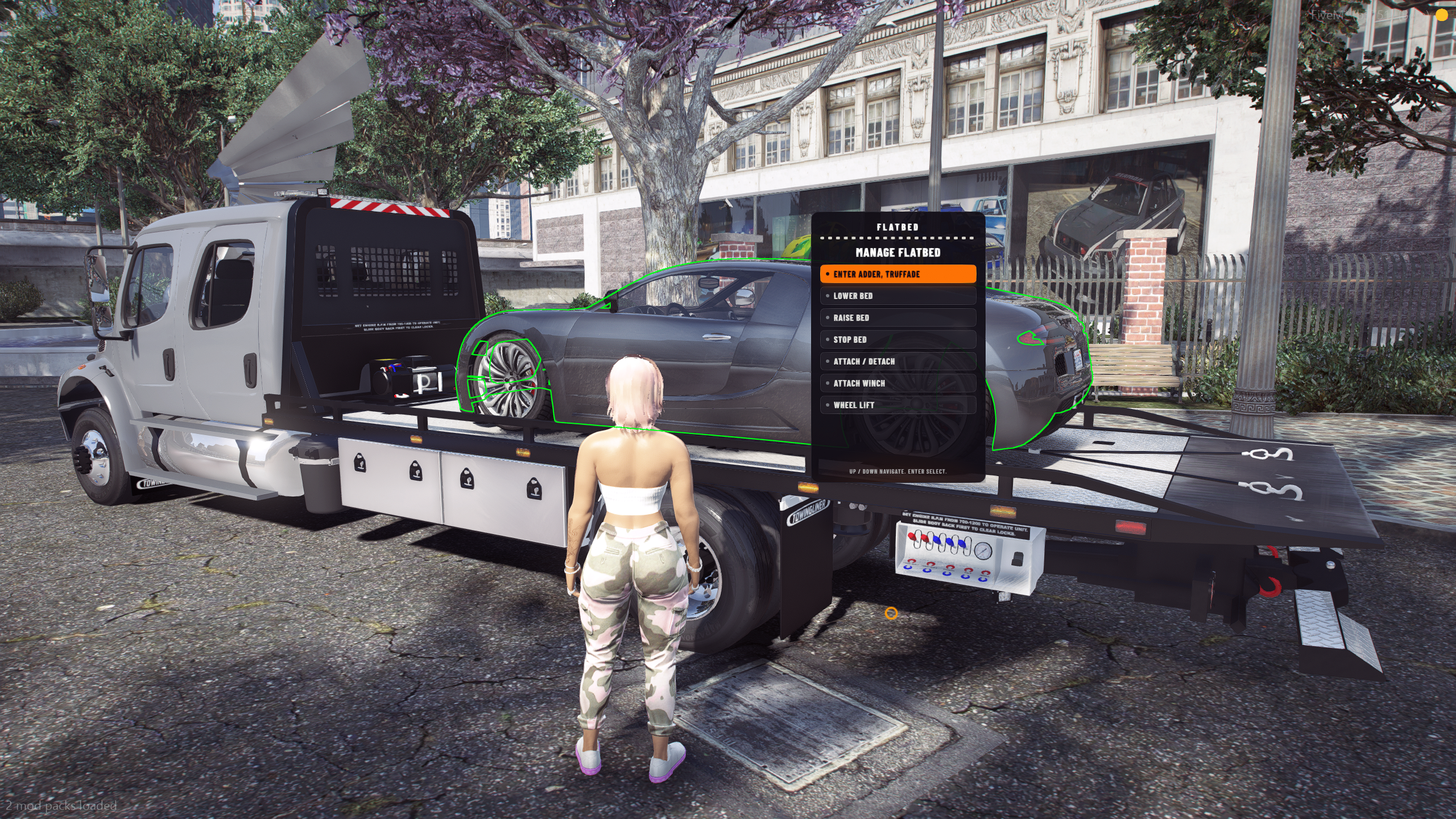
Config.AutoDisplayDUI = true (default) opens a world UI at the interact point. Set it to false to press the interact key (Config.OtherKeybind, default E) instead.
- Up / Down: move the highlight
- Enter: select
- Backspace: close (
Config.AllowBackspaceClose)
The UI lists:
- Enter vehicle (if a vehicle is on the bed)
- Lower / raise / stop bed (rolling only)
- Attach / detach
- Winch connect, wind, unwind, stop, detach (rolling, if
Config.WinchEnabled) - Wheel lift (models with
wheelDoor)
Keybinds do not fire while the UI is open. Help text still shows when the UI is not auto-shown (Config.ShowControlHelp).
Winch
Config.WinchEnabled = true (default) enables the cable on rolling beds. Static beds have no winch. Bone names in Config.WinchBones can be changed.
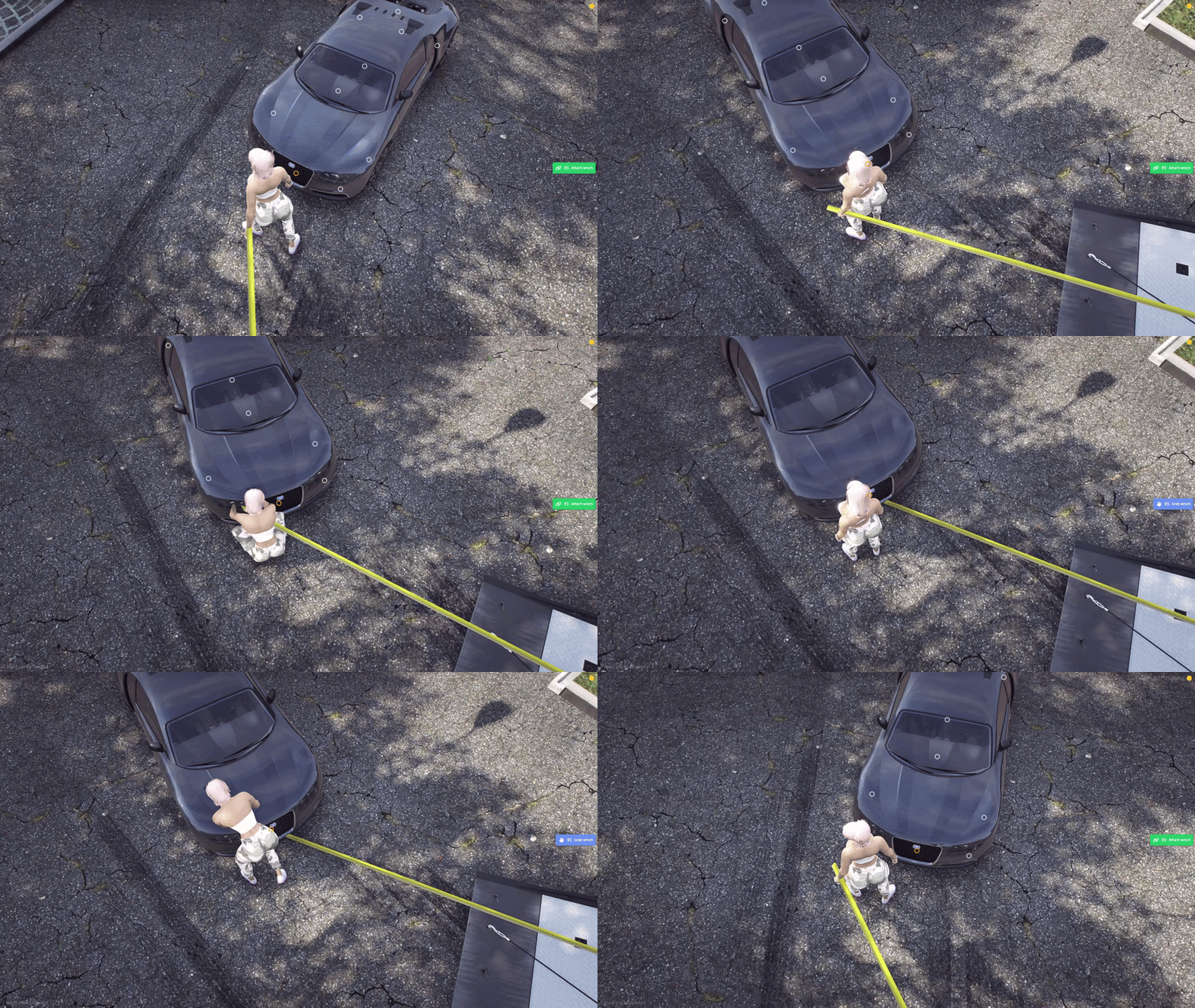
- Connect from the UI, or grab the cable by hand.
- Walk to a bumper, chassis, or other bone. Markers highlight when you are in range.
- Press E to hook that bone.
- Wind (LEFT) or unwind (RIGHT). G removes the cable.
The vehicle can auto-attach when winding reaches the stop distance (Config.ClampOnWindDone), or you can attach it yourself.
Config.CableSpeed = 0.12
Config.CableMaxLength = 65
Config.CableStopDistance = 1.2      -- gap from bumper to winch bone
Config.HookOnUnload = true          -- hook the cable when cargo detaches
Config.ClampOnWindDone = true       -- clamp when winding reaches the stop
Config.ReseatOnClamp = true         -- settle, then attach at the current pose
Bone marker range and colors live on Config.WinchBoneDistance, Config.WinchBoneAttachDistance, and the marker color tables. See shared/config.lua.
Cab controls and keybinds
Config.EnableKeybinds registers ox_lib keybinds. They work near the interact point, and from the driver seat when Config.CabControls is true.
| Name | Default | Action |
|---|---|---|
gs_flatbed_lower | DOWN | Lower bed / roof |
gs_flatbed_raise | UP | Raise bed / roof |
gs_flatbed_attach | E | Attach / detach, or hook a highlighted winch bone. Opens the UI if auto-DUI is off |
gs_flatbed_wheel | H | Toggle wheel-lift door |
gs_flatbed_warp | F | Warp into the vehicle on the bed |
gs_flatbed_wind | LEFT | Wind / connect winch |
gs_flatbed_unwind | RIGHT | Unwind winch |
gs_flatbed_rope | G | Remove winch |
Rebind them in GTA Settings, FiveM keybinds. Config.LockCabWhileMoving disables cab stick / sprint at or above Config.CabLockSpeed while the bed is in motion.
Static load helper
Config.StaticHelper draws a chevron at dropOffset on static beds. It turns green when you are within Distance. Disable it or change Size there.
Warp, keys, and blocked models
Warp-in calls HasOwnership and IsVehicleLocked in client/edit.lua. Attach and winch skip Config.BlockedModels and other flatbeds (CanAttachVehicle). Details: Integrations.